

Answers Calls 24/7
Never miss an important customer call because your team is busy or unavailable.
Never Miss an HVAC Call. Book More Service Jobs.
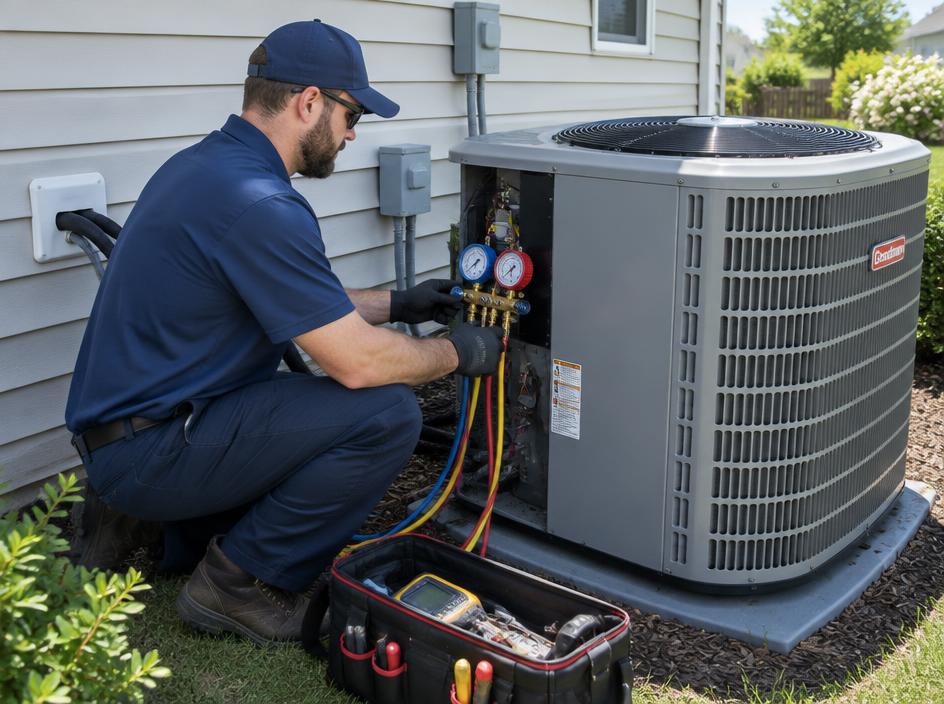
OpsBoost helps HVAC companies answer calls 24/7, qualify customers, capture service requests, and help schedule appointments — even when your technicians are busy or after hours.
Part of our AI answering service for home service businesses.
See how an OpsBoost AI receptionist can work for other home service trades.
Also for pest control, garage door, pool service, appliance repair, property maintenance and other local service businesses.
Example AI Receptionist Conversation
An example of how an AI receptionist can handle a no-cooling call: identify the problem, capture details and offer the next available appointment.
Questions your AI receptionist can be set up to answer:
Example AI Call · HVAC
Example conversation, not a real customer call. Account lookup and scheduling depend on how your integrations are configured.
Keep your current system. Add AI to the phone.
OpsBoost is designed to connect with popular field-service tools. Available functionality depends on your setup and integration requirements. Integrations are not included automatically unless they are configured for your business. Product names are trademarks of their respective owners.
OpsBoost can serve as the voice layer in front of your service workflow — answering calls, collecting customer information, qualifying requests, and helping move callers toward booking.
Try It NowOpsBoost doesn't just take a message. It can help move the customer toward the next step.
Never miss an important customer call because your team is busy or unavailable.
Can connect to scheduling workflows and help identify available appointment options.
Connected workflows can retrieve customer information when properly configured.
Ask industry-specific questions before the lead reaches your team.
Escalate priority calls to the appropriate person or team.
Automatically send your team the important details from the conversation.
An honest look at how a HVAC built on AI compares with a human answering service.
Answers Calls
Traditional: Human agents
OpsBoost AI: Conversational AI
24/7 Coverage
Traditional: May depend on staffing or plan
OpsBoost AI: Designed for 24/7 availability
Lead Qualification
Traditional: Usually script-based
OpsBoost AI: Dynamic lead qualification
Appointment Scheduling
Traditional: Varies by provider
OpsBoost AI: Scheduling workflows
Business FAQs
Traditional: Usually limited to instructions or scripts
OpsBoost AI: Business-specific knowledge
Call Transfers
Traditional: Supported
OpsBoost AI: Intelligent routing and transfers
Multiple Simultaneous Calls
Traditional: Depends on staffing
OpsBoost AI: Can scale across simultaneous calls
Call Summaries
Traditional: Varies by provider
OpsBoost AI: Automatic summaries
CRM / Workflow Integration
Traditional: Varies
OpsBoost AI: Workflow and API integrations
Cost Scalability
Traditional: Costs generally increase as human usage increases
OpsBoost AI: Potentially lower marginal cost as call volume increases
Less Cost. More Done.
Instead of simply taking a message, OpsBoost can help complete more of the work that happens after the phone is answered.
We learn about your business, services, hours, and common customer questions.
OpsBoost creates a personalized AI agent based on your business.
Receive a demo phone number and experience the conversation yourself.
When you're ready, OpsBoost can be configured around your scheduling, CRM, routing, and automation requirements.
Yes. OpsBoost is designed to answer calls 24/7, including nights, weekends and holidays, and can capture emergency no-heat or no-cooling requests. Capabilities depend on your OpsBoost configuration and connected systems.
OpsBoost can collect the details and help schedule appointments or send requests to your team. Booking directly into your calendar or field-service software depends on your setup. Capabilities depend on your OpsBoost configuration and connected systems.
OpsBoost is designed to connect with popular field-service tools like these. Available functionality depends on your setup and integration requirements.
Yes. OpsBoost can be set up to answer calls forwarded from your existing number, or you can use a new AI business number. The right option depends on your phone provider and how you want calls routed. Capabilities depend on your OpsBoost configuration and connected systems.
OpsBoost can be configured to transfer or escalate calls to the right person based on your rules, such as urgent requests or specific call types. Capabilities depend on your OpsBoost configuration and connected systems.
Enter your business website and contact details in the demo form. OpsBoost reviews your public website, builds a demo AI receptionist around your business, and gives you a number to call — usually in about 60–90 seconds. No credit card required.
Related: AI answering service for plumbing · AI answering service for electrical · all home service businesses
Don't just watch a generic AI demo. Let OpsBoost build one around your business.
Your personalized demo, usually ready in about a minute. No account or sales call required — just a quick email code.
No account needed · Quick email code · No salesperson